Autonomous troubleshooting & resolution
From First Signal to Verified Fix
One resolution workflow for every incident. At each stage, work alongside the agent or take over. Decide which stages start on their own, and which wait for you.
- Faster resolution Hours become minutes, 24/7.
- Fewer escalations Expert know-how in everyone’s hands.
- Capacity back on the roadmap Finally time for what matters most.
- Everything in the ticket Nothing to redo, nobody to chase.
- Every fix reviewed and revertible No agent messing up your cluster.
Trigger
Consistent handling, whoever picks it up.
Regardless of how the troubleshooting session starts, the resolution workflow is the same.
- An alert from the monitoring stack Error rates climbing, latency rising, pods restarting, or a sync that never converges.
- A person describing the problem In plain language, in the chat.
Investigation &
Root Cause Analysis
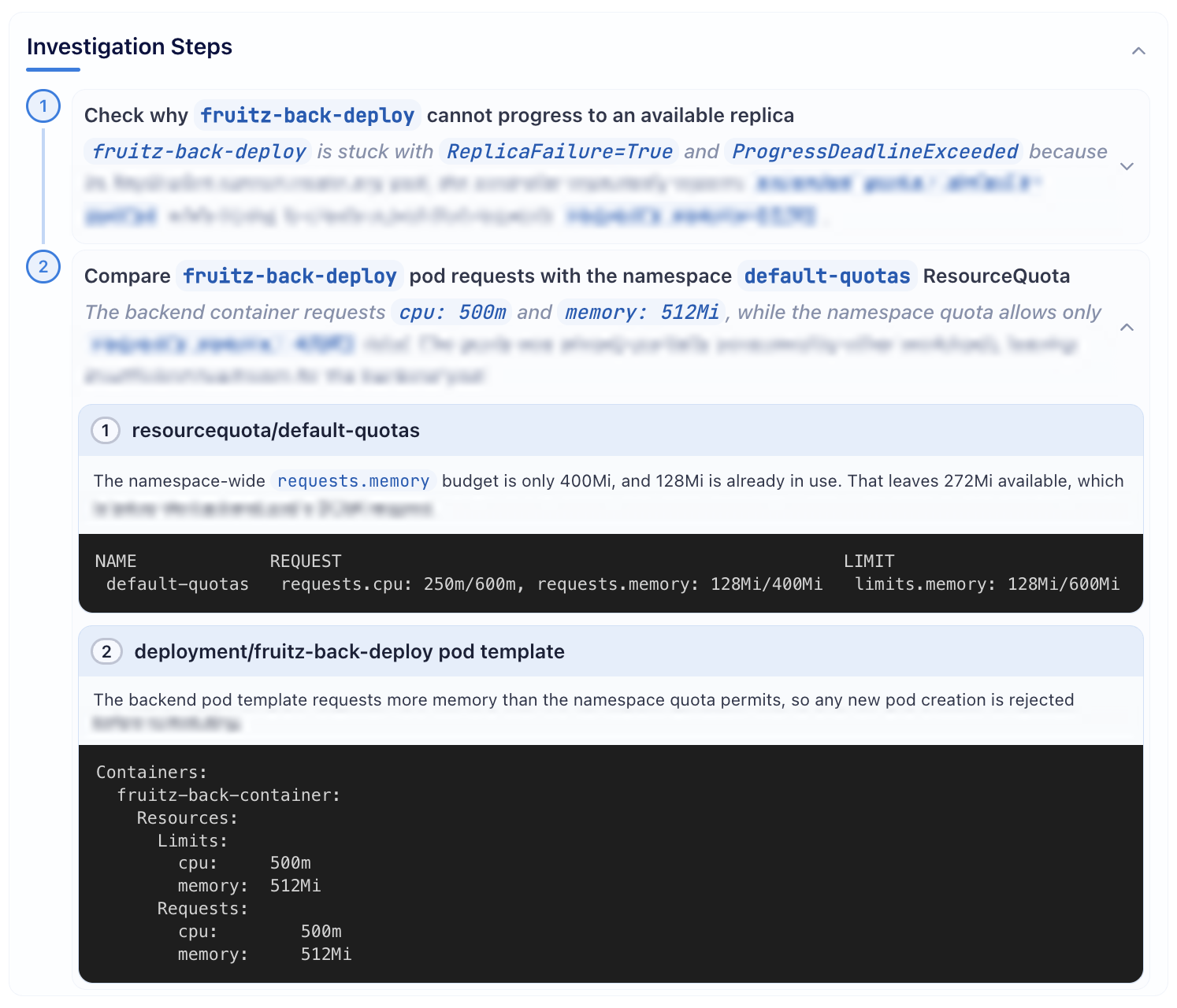
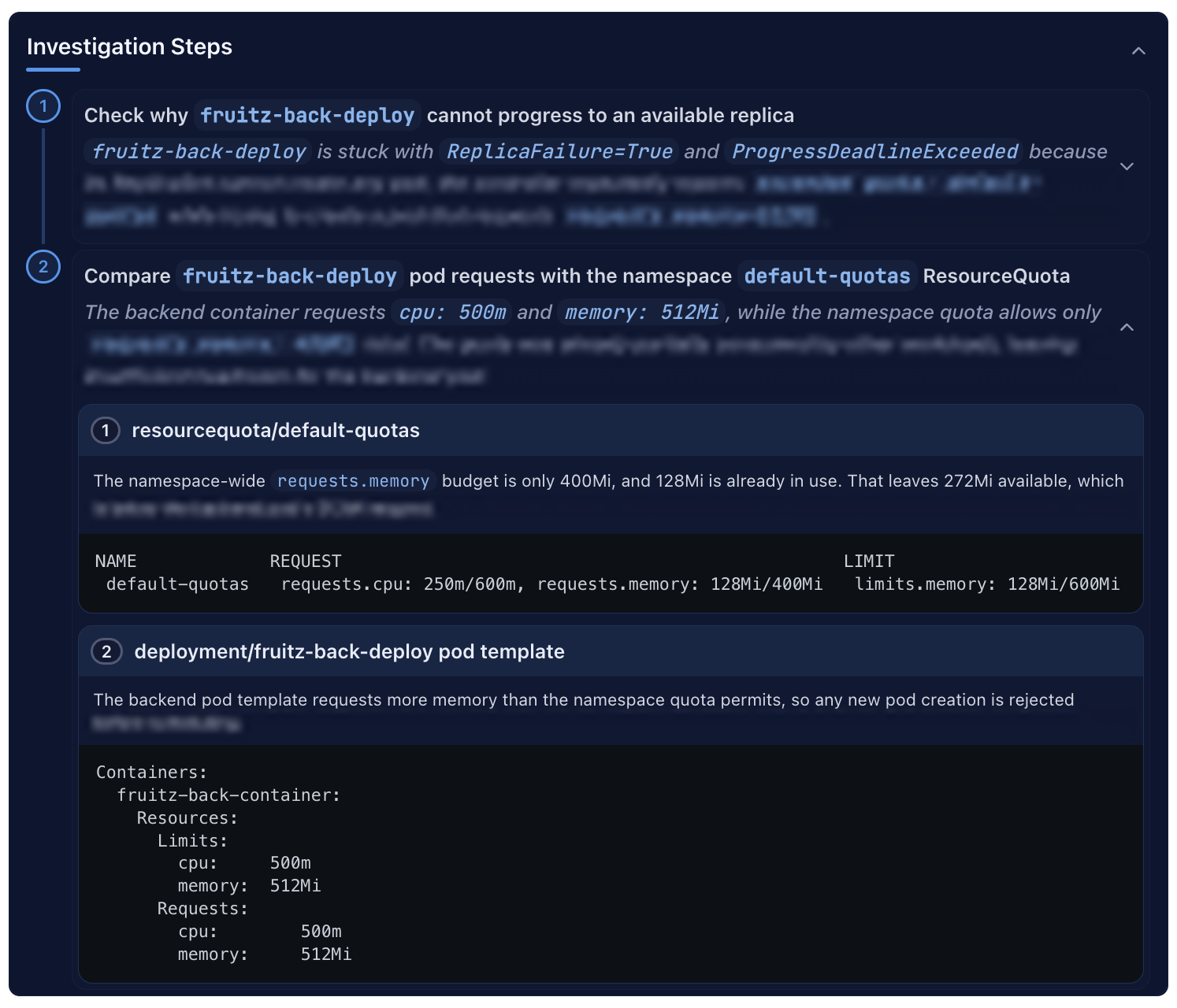
Investigate faster, without switching tools.
On a cloud-native platform, troubleshooting an incident means checking across many systems, layers, tools, and technologies. A slow, tedious process that only gets slower as the platform grows.
- Troubleshooting across the stack The agent gathers and analyzes scattered operational signals from your Kubernetes clusters, observability platforms, deployment engine and release state. Beyond live state, it also reads Git repositories and technical documentation.
- Autonomous investigation The next action is decided from what the agent has just found, without following a fixed playbook.
- Evidence-based root cause analysis Progress is documented by the agent in a structured troubleshooting report: the problem, the investigation steps with their hard evidence, and the root cause analysis referencing those steps.
- Steer it while it runs Follow the investigation live, point the agent at something it hasn’t looked at, or challenge a finding.
- Explainable, traceable and auditable The troubleshooting report is saved and contains all the evidence to trace each conclusion back to what the agent actually saw. Messages and tool calls of the troubleshooting session are persisted verbatim.
- Escalation When the root cause can’t be established, the report still carries what was investigated, observed, and ruled out. Whoever picks it up starts from a documented case, not a blank page.
- Share the session Bring in colleagues to help you investigate the incident. They see the same report and messages as you.
Solution Design & Review
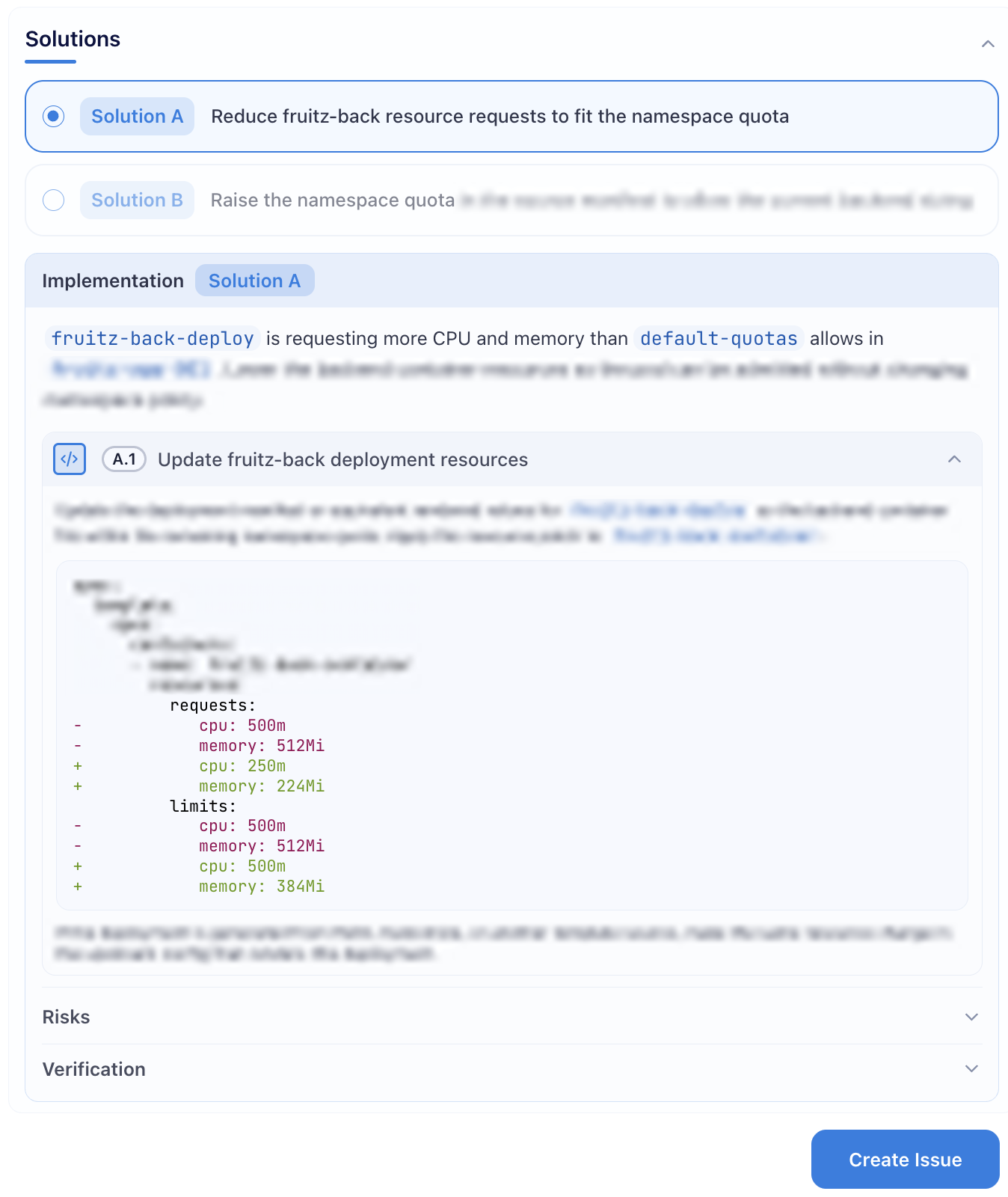
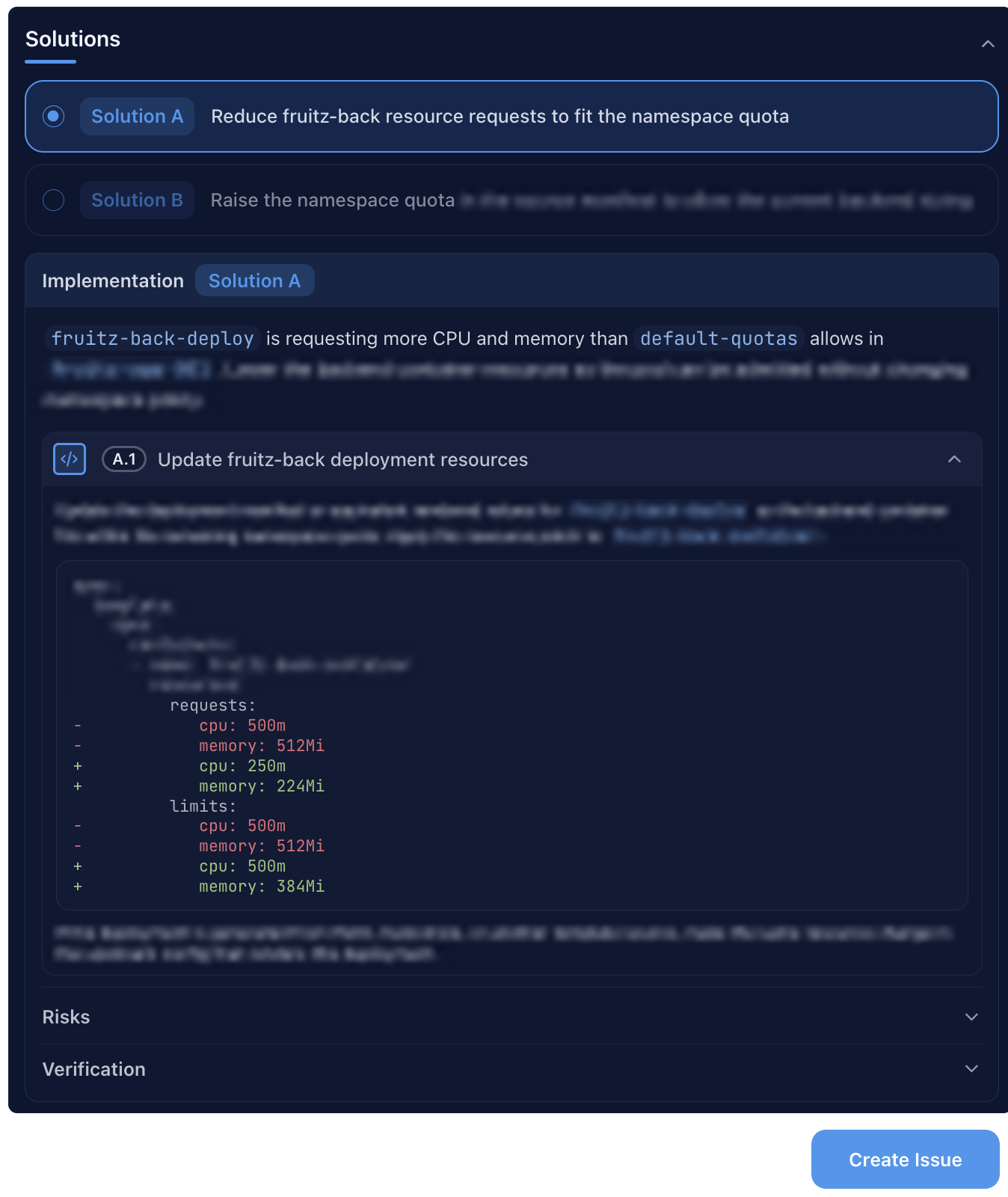
Pick from fixes already worked out.
Thinking through the right approach keeps a bad fix from hitting a production system and doing more damage than the fault it was meant to resolve.
- From diagnosis to remediation After the root cause is identified, the agent lays out a solution you can adjust or challenge.
- Recommendations that suit your environment The proposed solution accounts for your tech stack, versions and infrastructure. The agent may also query your organization’s diagnostic runbooks and past incidents.
- A concrete action plan A solution breaks down into steps and their order of execution: a detailed blueprint that can be followed as is.
- Least risky first Alternative solutions are ordered by risk so you can weigh the trade-off.
- A reinforced GitOps flow NeuroKube agents are designed around GitOps principles, favoring fixes that can be implemented as code. A plan can still combine immediate stabilizing actions with a durable fix as code.
- Lock in the solution as a Git issue Create the issue from the NeuroKube UI in your Git provider such as GitLab or GitHub. It contains the troubleshooting report including the selected solution and provides the context for the rest of the workflow.
Implementation
The proper fix, implemented for you.
Everyone knows the fix belongs in Git, yet the cluster is one command away. No unfamiliar codebase to dig into, no unexpected side effects to work around, no testing to figure out, and the incident is still active. But a change made that way leaves no trace.
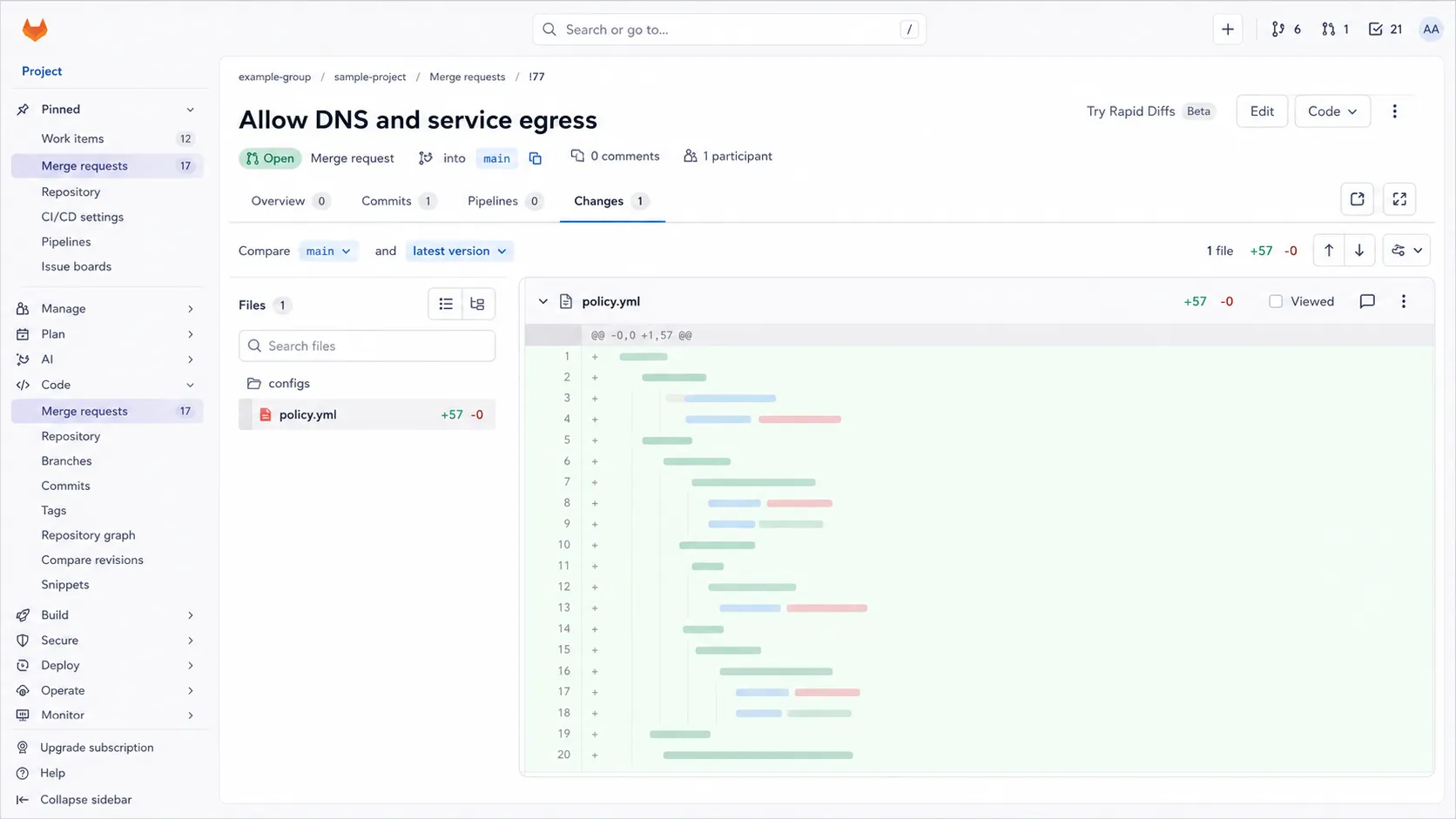
- Assign the issue to the coding agent It implements the solution blueprint and opens a change request ready for review.
- Changes as code The fix is visible, revertible and durable. Anything your CI/CD pipeline catches never reaches your cluster.
- Sandboxed tools The agent edits source files and runs commands inside a container isolated from the host.
- No tokens burned on plumbing Git-related actions such as branching, committing and opening the change request are handled by code, not by the agent.
Code Review
Stay in command of your codebase.
Do you direct the coding agent, or follow it? Review is your answer.
Decide what ships and how things get built.
- Leave feedback on the change request Trigger the coding agent to address it, as many rounds as it takes.
- Merge when your standards are met The change follows your review process: same approval rules, same checks.
Validation
Verify the fix, beat the alert.
A green pipeline and a successful deployment don’t mean the incident is over.
Teams take the absence of an alert as confirmation that the fix worked. When an alert does fire, the evidence it failed comes too late.
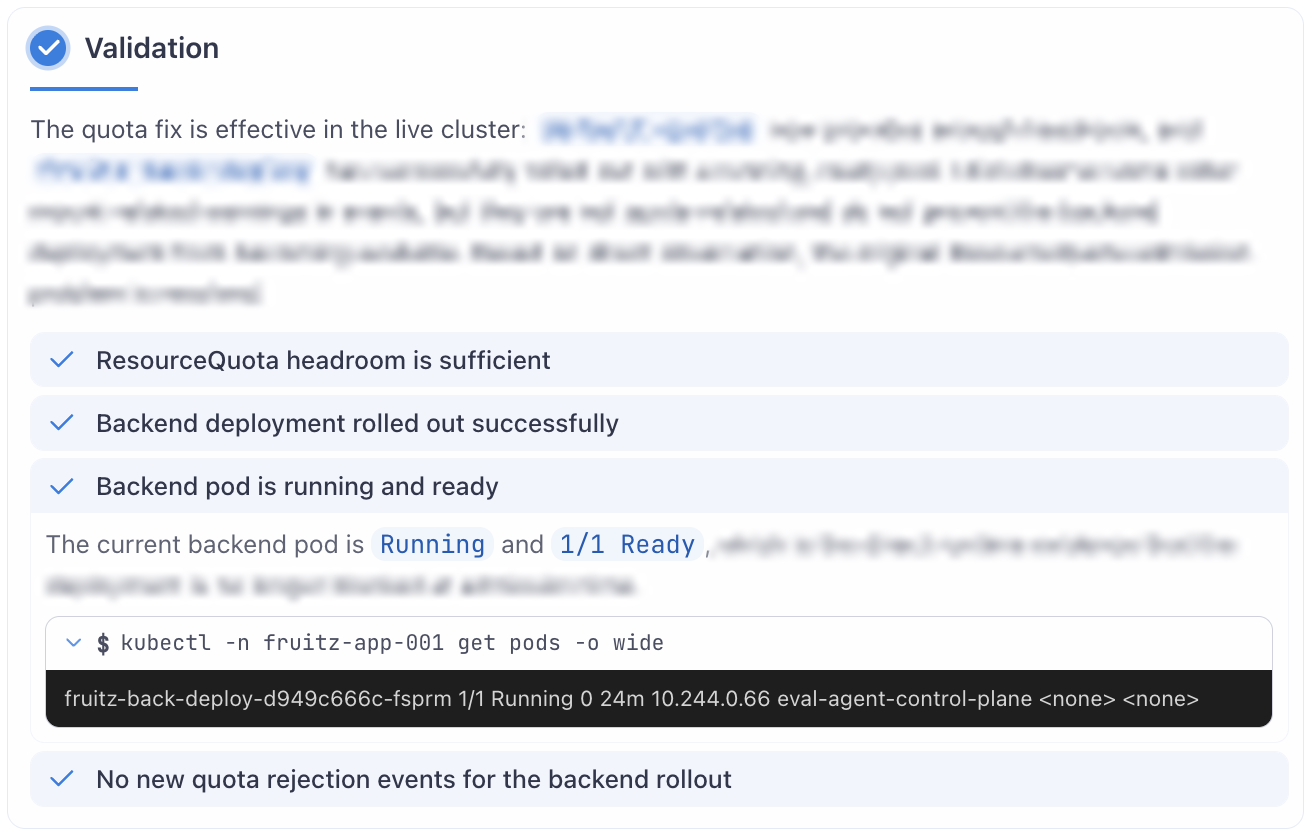
- Resolution verified on the live cluster The validation agent probes runtime signals to confirm the recorded symptoms are gone and the broken behavior works again.
- No static checklist Each case has its own definition of resolved, worked out from the issue and the deployed changes.
- Verifiable verdict Retrace it from the recorded checks and their results.
- Re-investigate when unhealthy The new troubleshooting session carries the current context, so it starts from what has already been tried.
- Automatic cleanup A healthy verdict closes the case with its issue and change request, along with other attempts at the same problem.